-
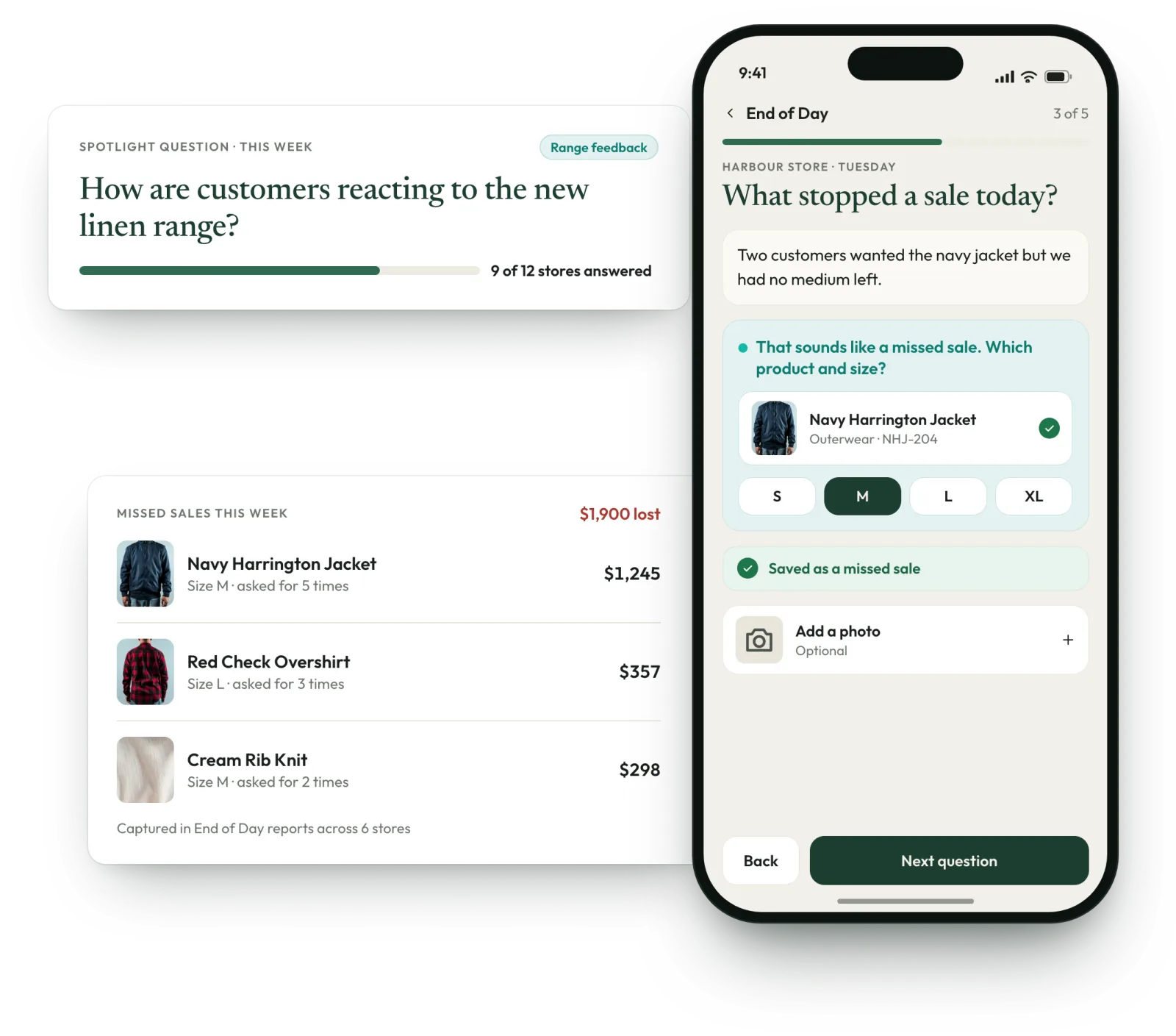
A store says it.
At close, Harbour Store reports that two customers wanted the Navy Harrington Jacket and there was no medium left. End of Day saves it as a missed sale, with the product and the size.
-
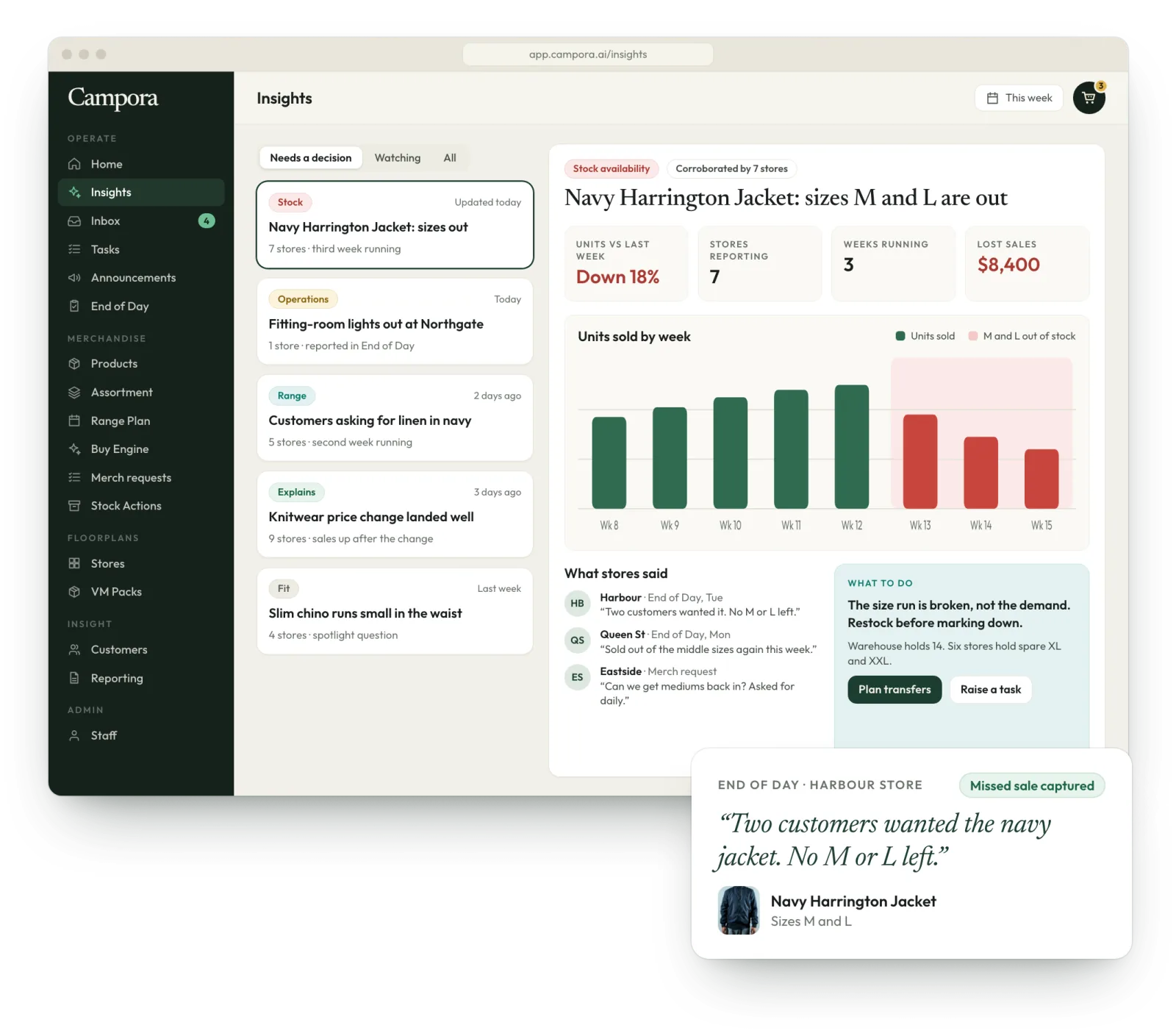
Campora joins the reports up.
Seven stores have said the same thing for three weeks. Insights puts their reports next to the sales: units down 18 per cent and $8,400 lost.
-
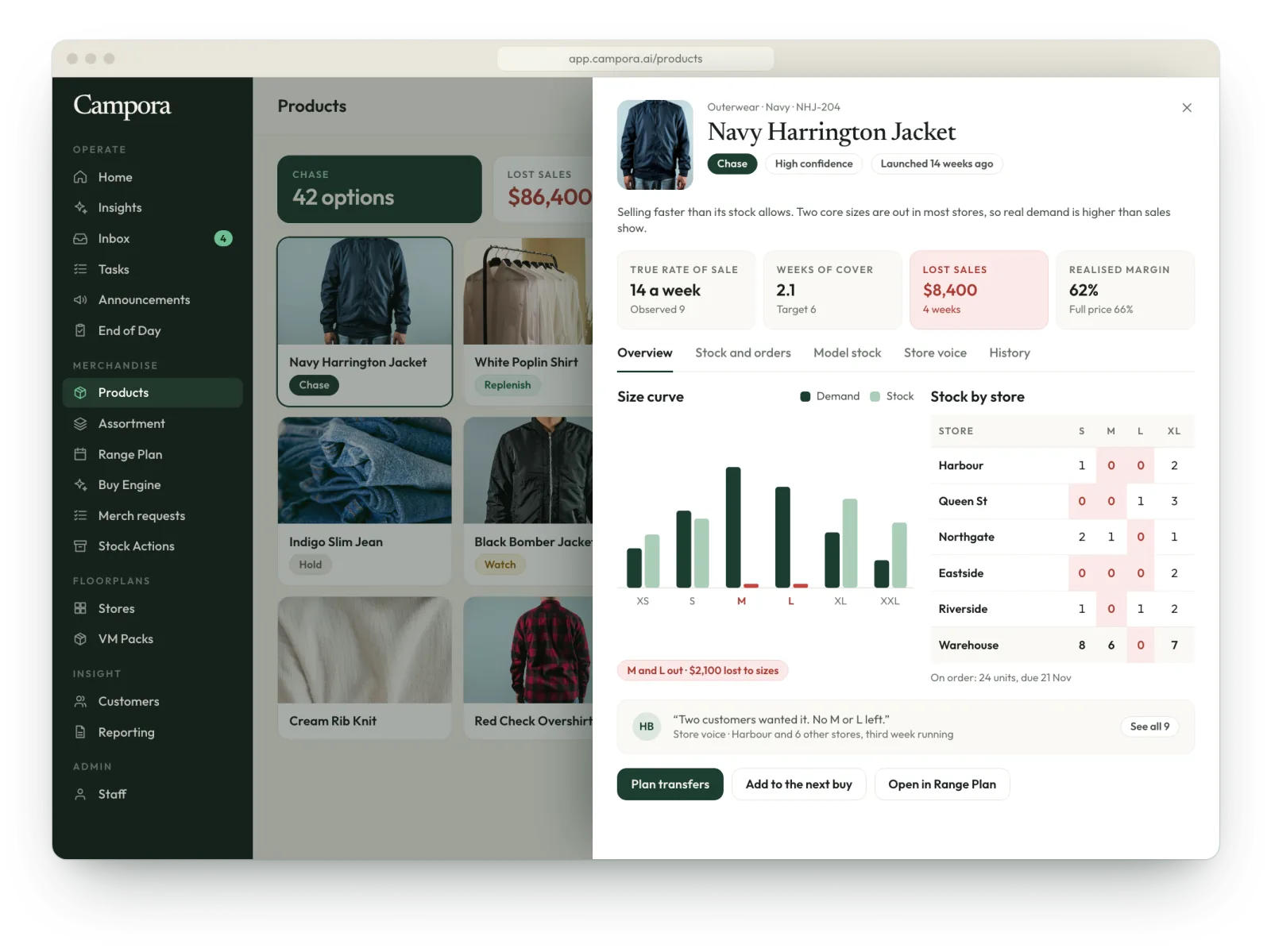
The product page shows where the stock is.
Products shows demand for medium and large running well ahead of stock, and which stores and the warehouse still hold units.
-
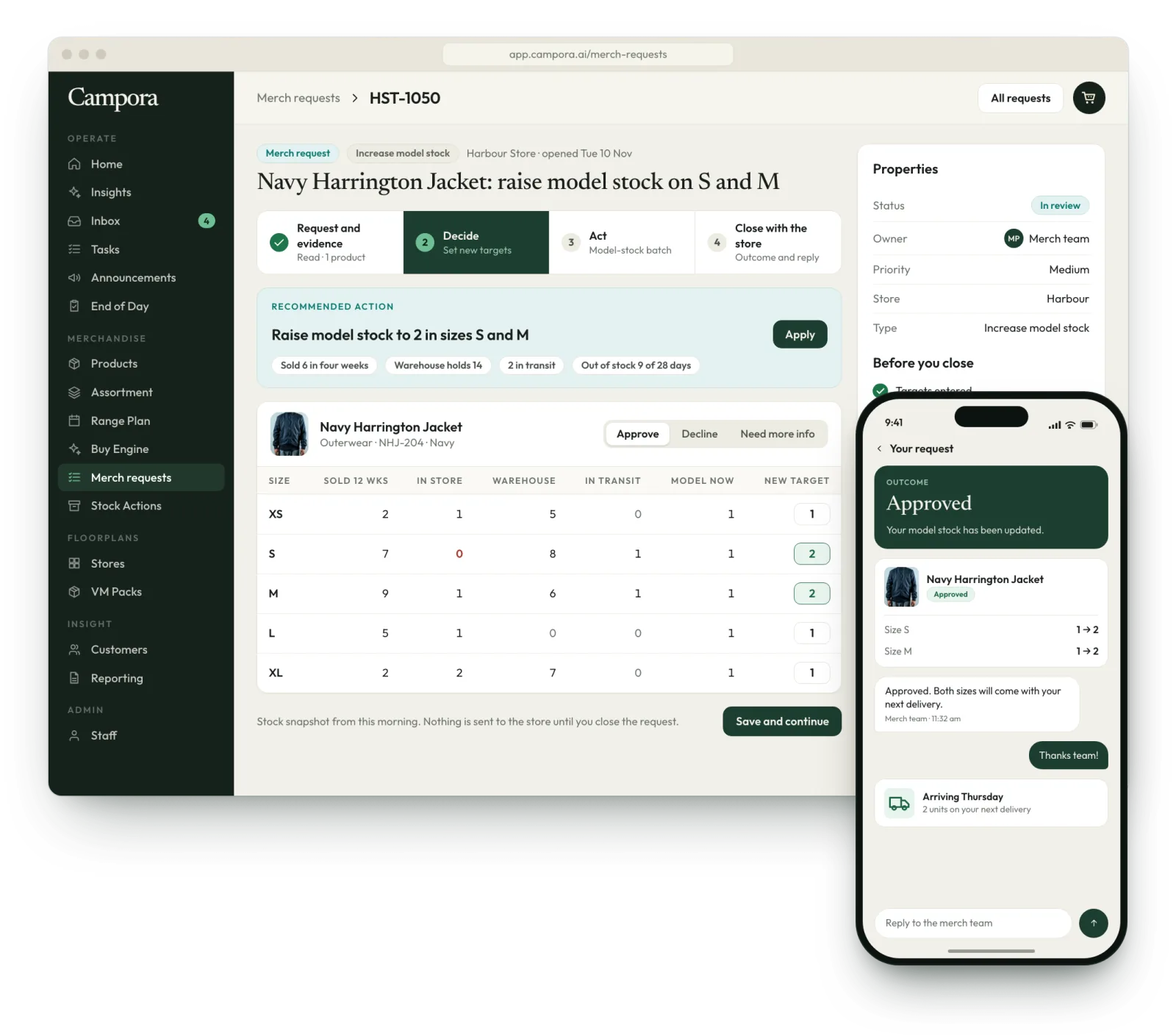
The store gets its answer.
Harbour's request for more stock is approved with the evidence attached. The store sees the outcome on its phone and knows when the units arrive.
The AI platform for fashion retail
See all ofretail inone place.
Spend less. Save time. See more.
Campora brings store operations, product and planning, visual merchandising and customer insight together. Its AI reads all of it and shows you why a number moved.

In daily use at
Spend less
One subscription covers the work of your store comms app, your task tool, your planning spreadsheets and your reporting licences.
Save time
Requests, updates and reports stop arriving by email. Each one has a home, an owner and a due date, and stores answer from a phone.
See more
Sales sit beside what store teams and shoppers said that day. When a number moves, the reason is on the same screen.
The platform
Four areas. One login.
Operations
Head office and every store, working from one list.
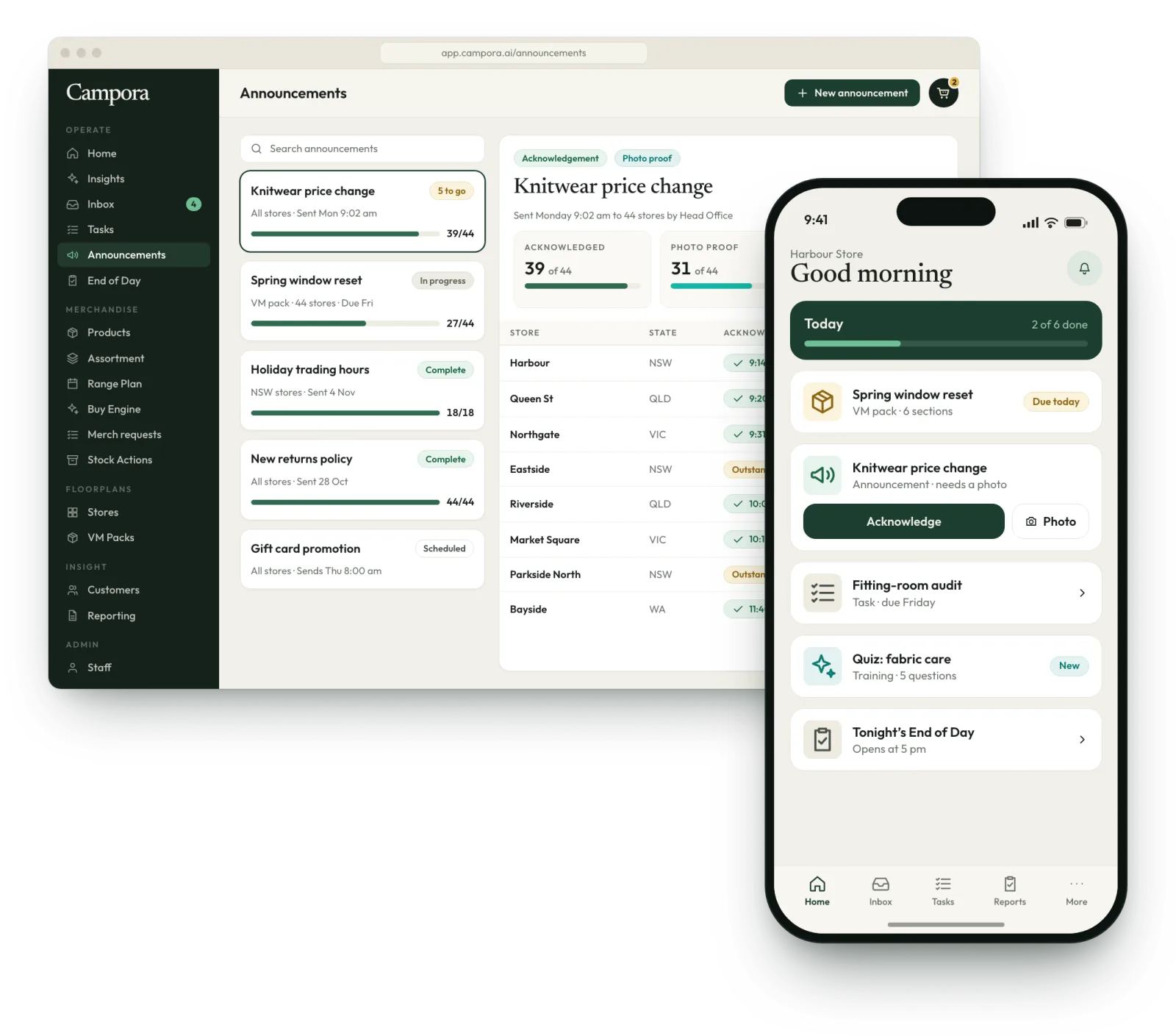
- Tasks and announcements arrive with a due date and come back with a photo.
- End of Day tells you what the numbers cannot.
- Merch requests are sorted before they reach a buyer.
Product
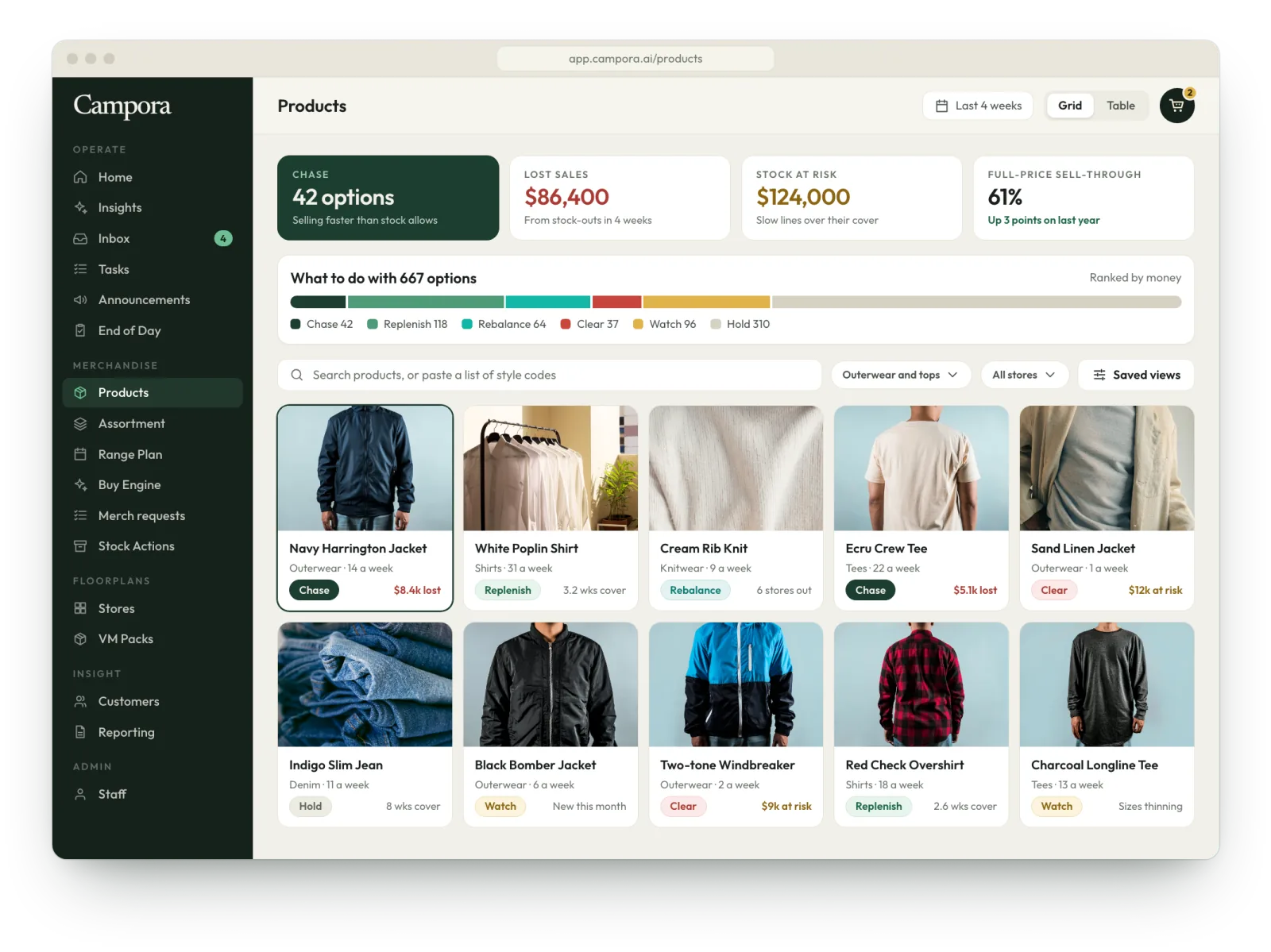
Every product, with its photo and its numbers.
- Products gives each style one call: chase, replenish, rebalance, clear, watch or hold.
- Range Plan, Assortment and WSSI plan the season in one place.
- Buy Engine and Stock Actions size the buy and move the stock.
Floor
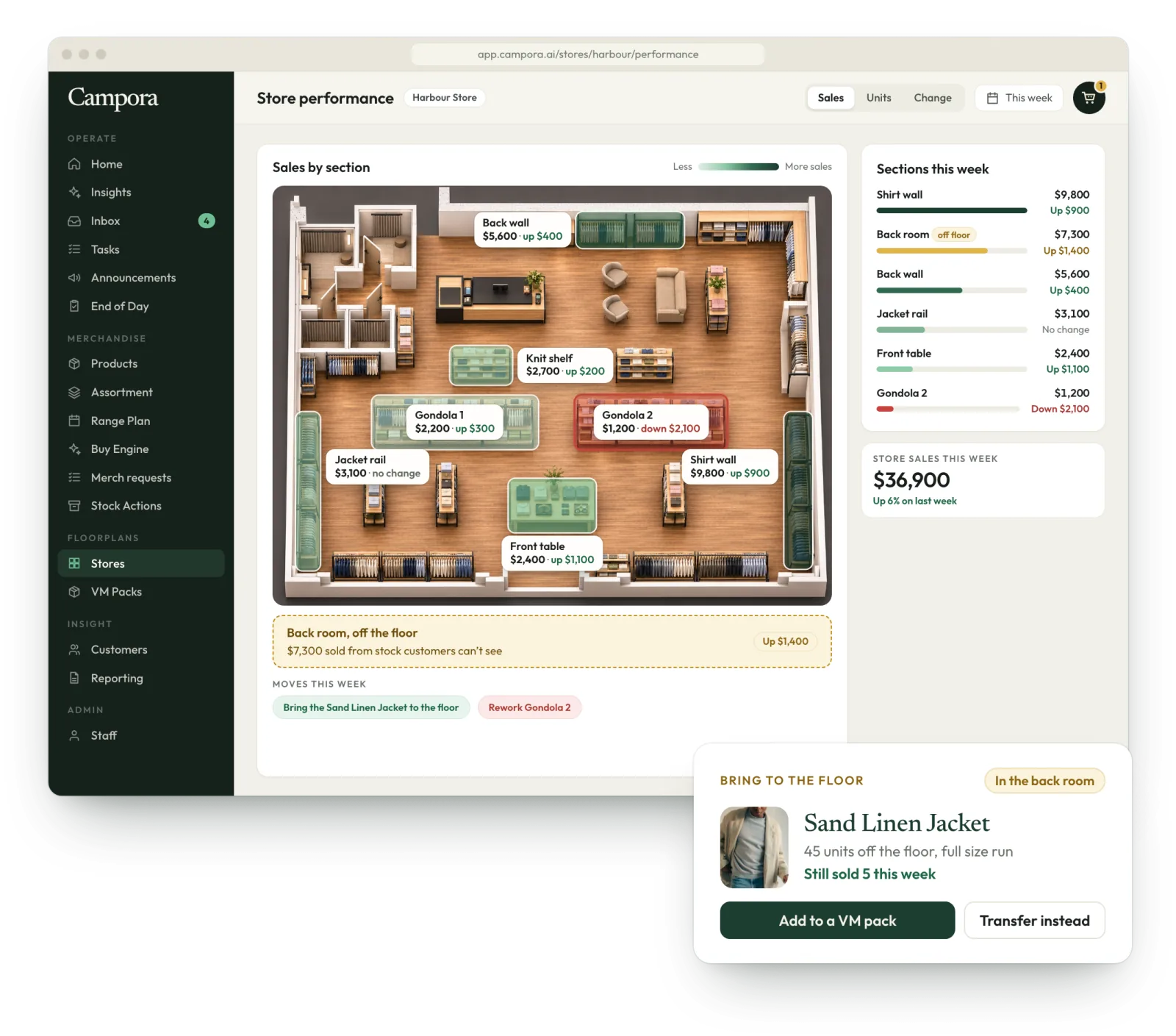
See what each part of the shop floor earns.
- The money map colours every fixture by its sales.
- VM Packs send the layout to stores and collect the photos.
- Stores holds each floorplan, fixture and capacity.
People
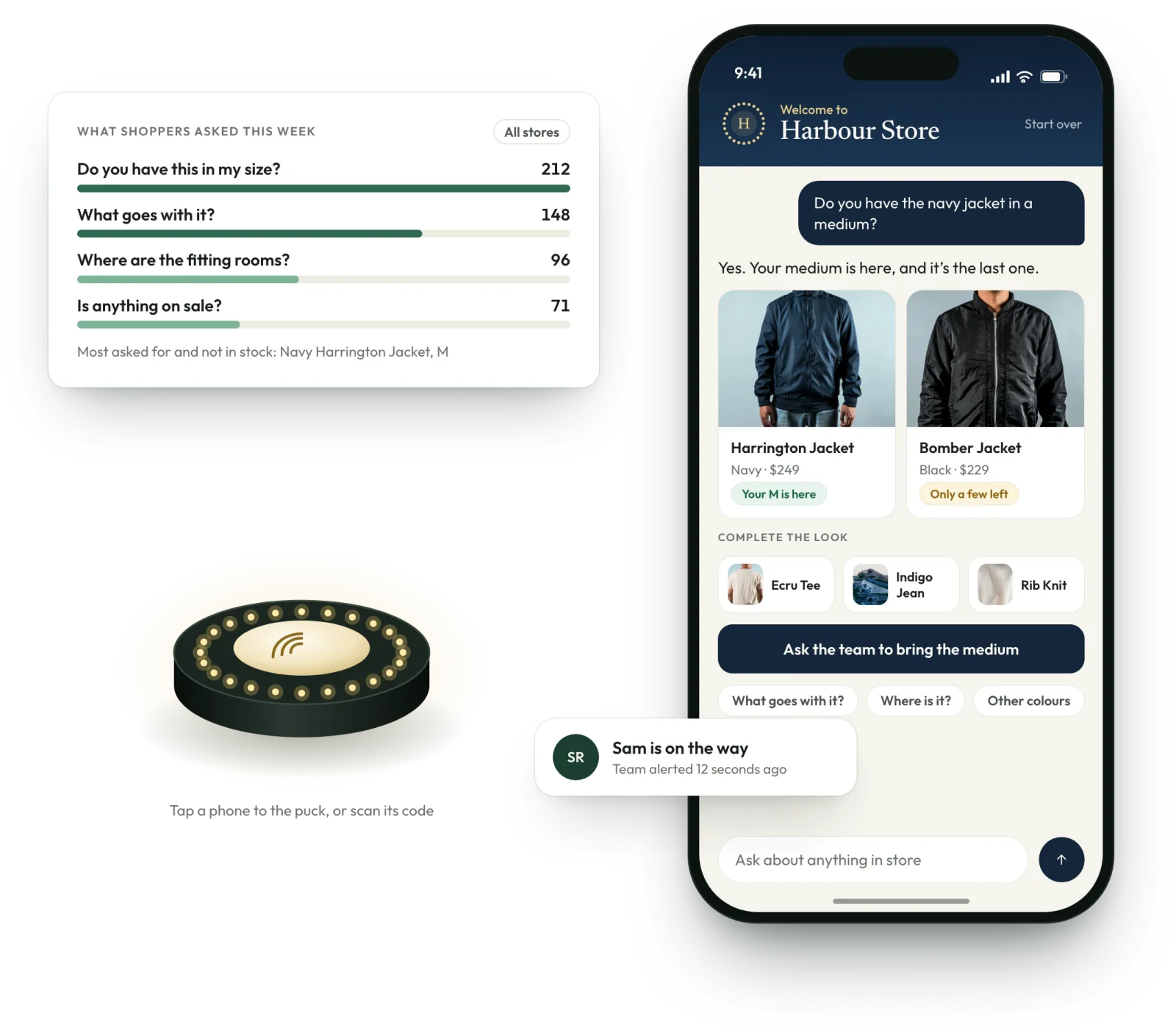
Know what shoppers asked for and who served them.
- Tap to Ask answers shoppers in store and calls the team over.
- Customers shows where your members live and shop.
- Staff shows who is selling and where to coach.
One example
From a comment at close to stock on the way.
Because everything is in one system, a note from one store can become an action for the whole business. Here is one jacket, followed across four screens.
Ollie
Ask a question. Get the answer, and where it came from.
Ollie is the assistant inside Campora. It answers from your own sales, stock, staff hours and store reports, and shows its sources. Try a question.
More about OllieOllieSample data
Which stores missed budget last week, and why?
Three stores finished under budget. Traffic explains Eastside, hours explain Northgate, and Queen St lost sales to missing sizes.
| Store | Against budget | Why |
|---|---|---|
| Eastside | 8% under | Traffic down 17%, conversion held |
| Northgate | 5% under | Two days short-staffed |
| Queen St | 3% under | Knitwear sizes missing, 4 missed sales |
From Store resultsStaff hoursEnd of Day reports
Mostly the Navy Harrington Jacket in medium and large. Seven stores have reported it in End of Day over the last three weeks.
| Product | Asked for | Lost this week |
|---|---|---|
| Navy Harrington Jacket | Size M, 5 times | $1,245 |
| Red Check Overshirt | Size L, 3 times | $357 |
| Cream Rib Knit | Size M, 2 times | $298 |
From End of Day reportsTap to AskProducts
Restock the Cream Rib Knit in M and L. Queen St has missed four sales on those sizes this week.
Two nearby stores hold spare units, so a transfer gets there before the weekend.
From End of Day reportsStock by storeStock Actions
Getting started
Start with a few stores.
Connect your data
Campora reads sales, stock and product data from the systems you already run, including Apparel21.
Begin with one area
Start with a few stores and the area that matters most. Add stores and areas when you are ready.
Give everyone a login
Head office and store teams each sign in, and see only the stores and tools their role allows.
Book a demo
See Campora with your own stores.
Tell us a little about your business and we will set up a walkthrough.
- We show the areas that matter to you.
- You talk to the people who build it.